A missed error in a signed document can cost thousands. Recensa catches the kind that slip past a final read.

See what it catches
Recensa

See a Document Check, end to end

An actual Recensa check, step by step: upload a finished file, choose how far it reaches, see what it flags, resolve it, and keep the Proof Report.

Last updated 2026-05-14

These are screens from an actual Recensa check on a real document. Every finding shown is Recensa's own output, not an illustration or a mock-up. Run a check on your own file and you will see the same surfaces with your own results.

A check, start to finish
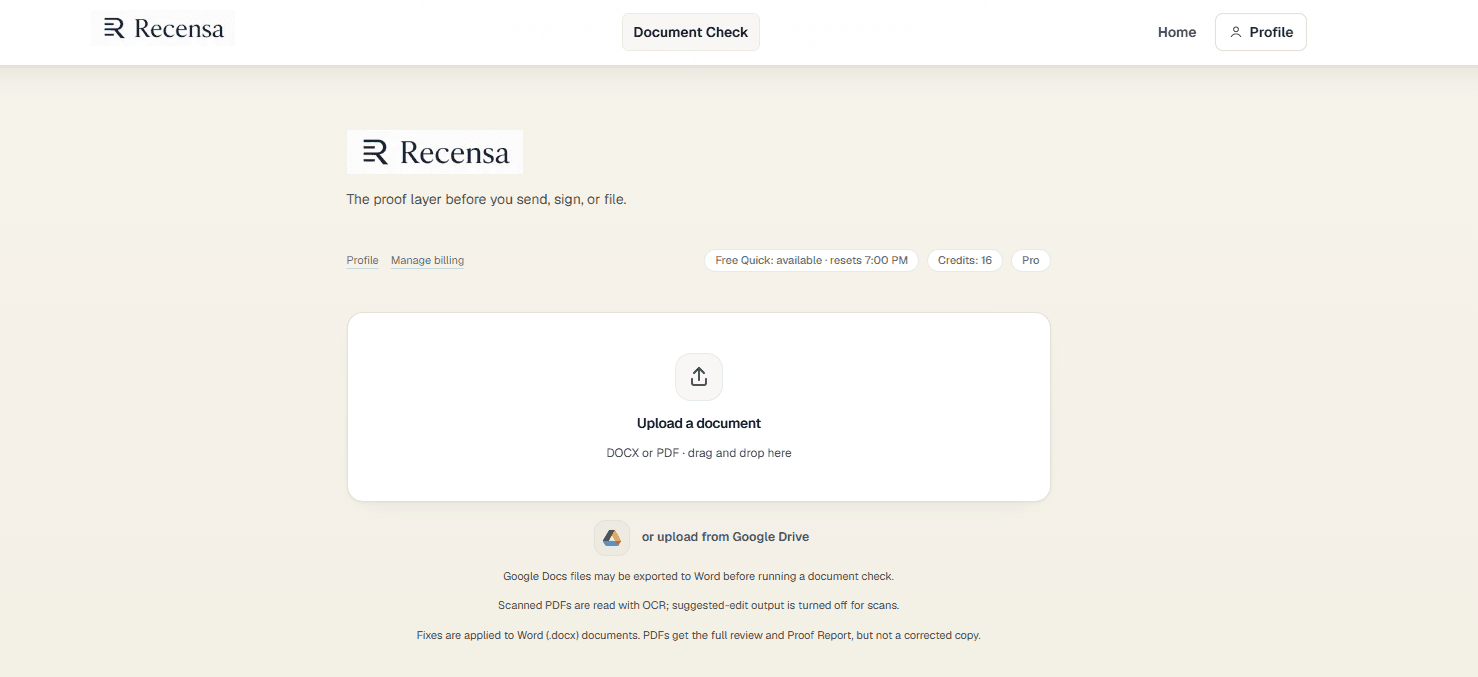
The Recensa upload screen, showing a drop area for a finished Word or PDF document
Start with the finished file. DOCX or PDF, dragged in or pulled from Drive.
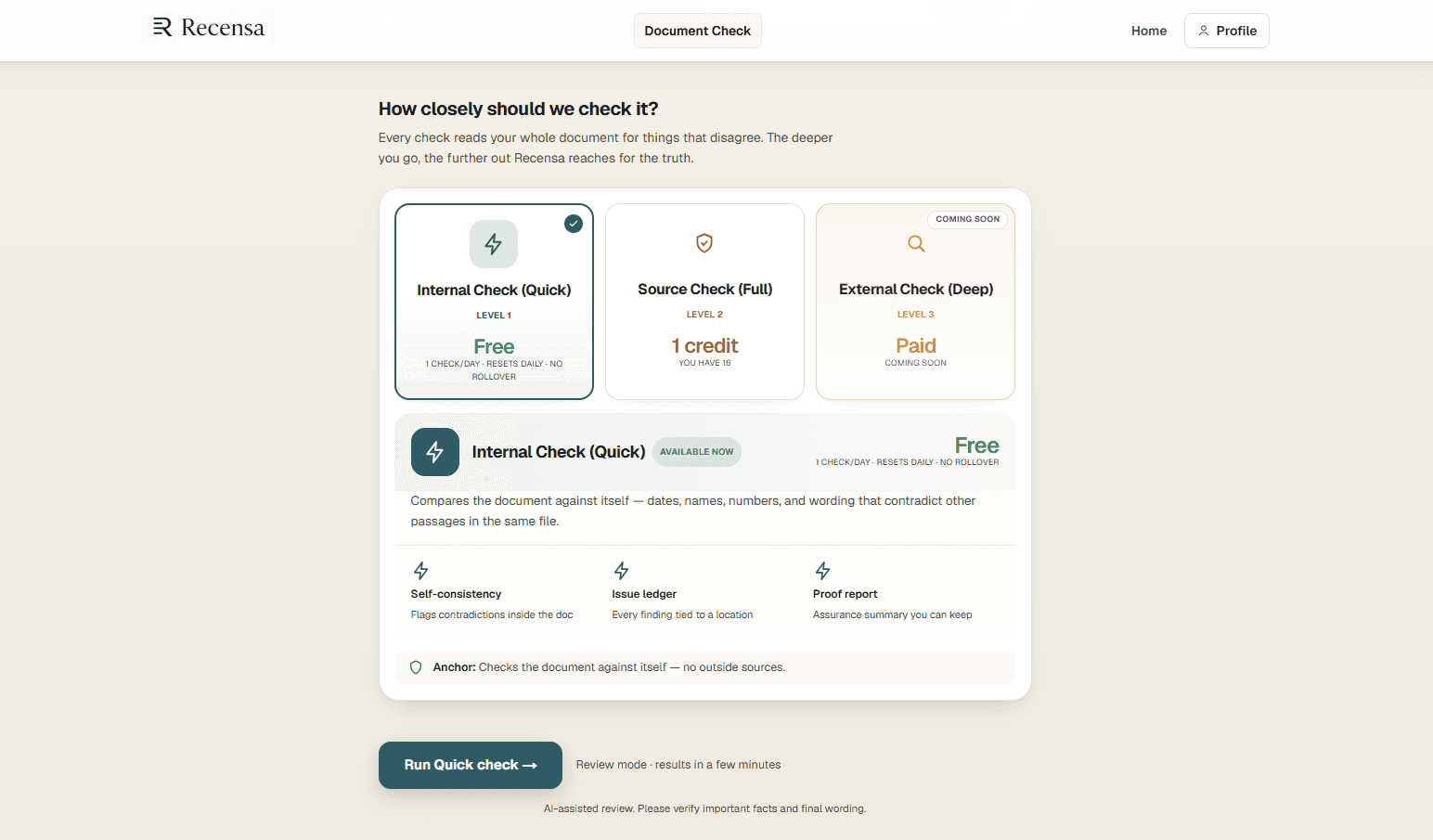
The check level selector, offering an internal check, a source check, and an external check
Choose how far the check reaches: against the document itself, against your own source files, or beyond them.
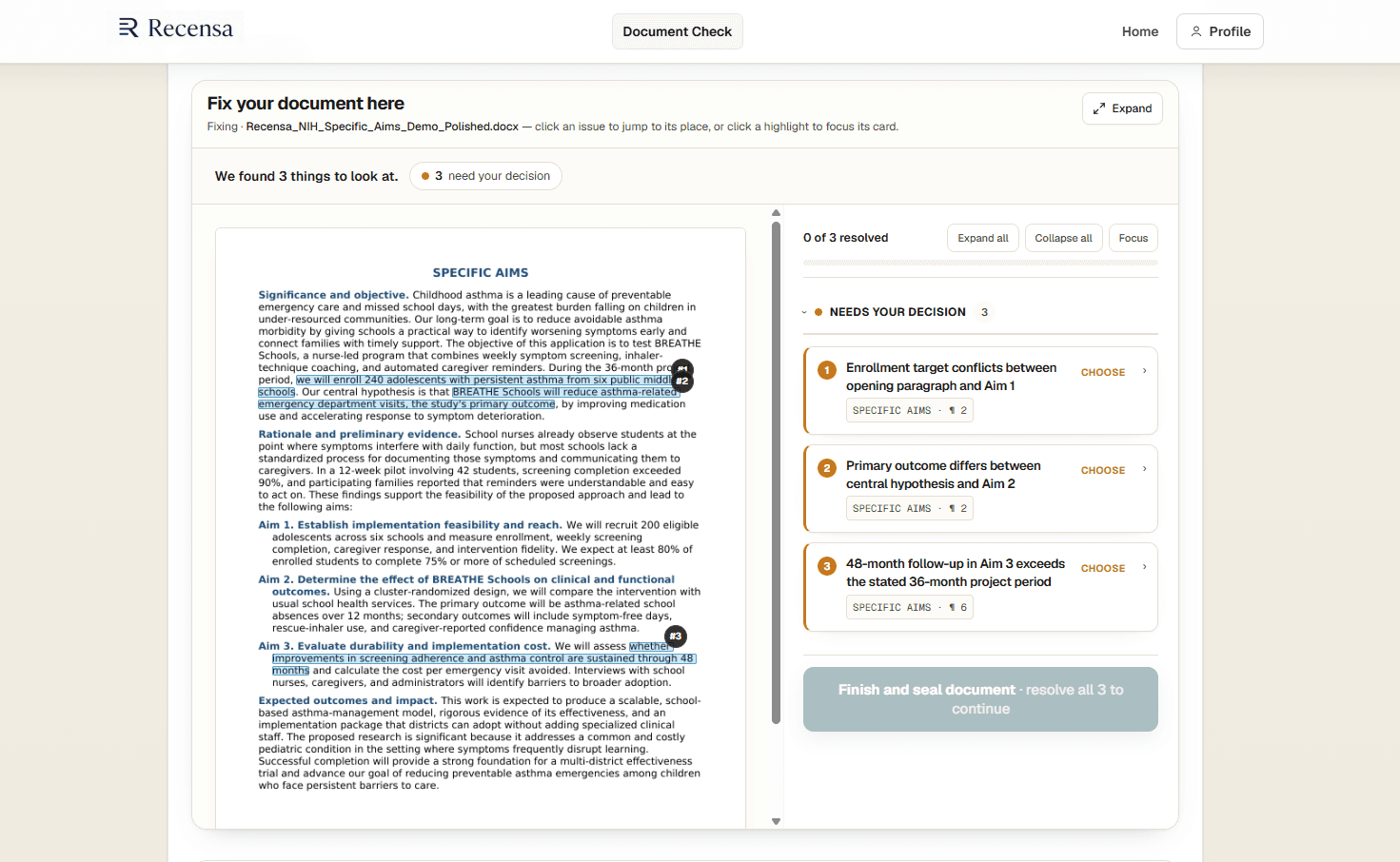
The review screen listing three findings beside the document they came from
Every finding is tied to the exact place in your document it came from.
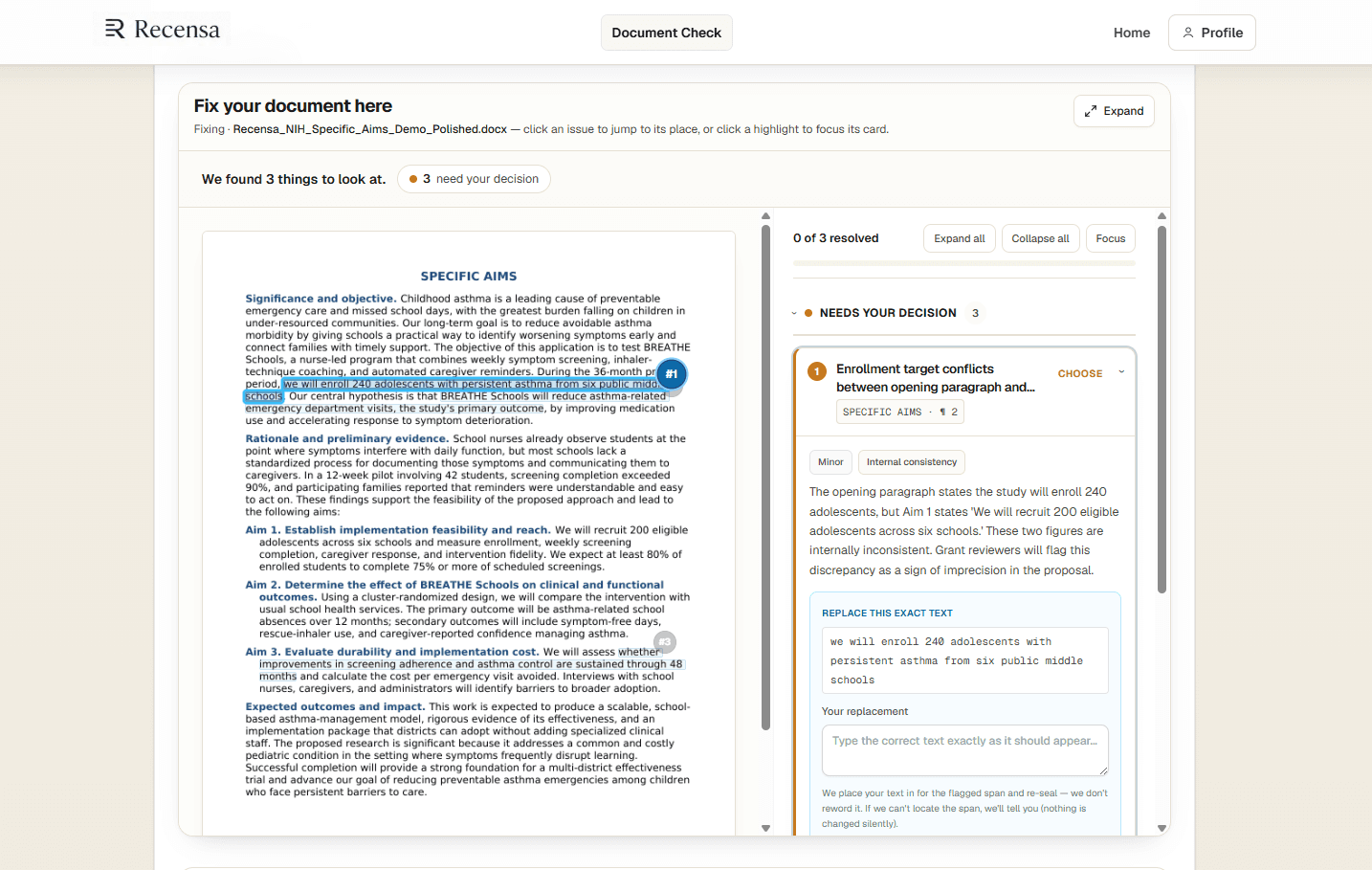
A single finding expanded, showing the flagged text and a field for the reader's replacement wording
You decide what is correct. Recensa places your wording into the flagged span and re-seals it. It does not reword your document for you, and if it cannot locate the span it tells you rather than changing anything silently.
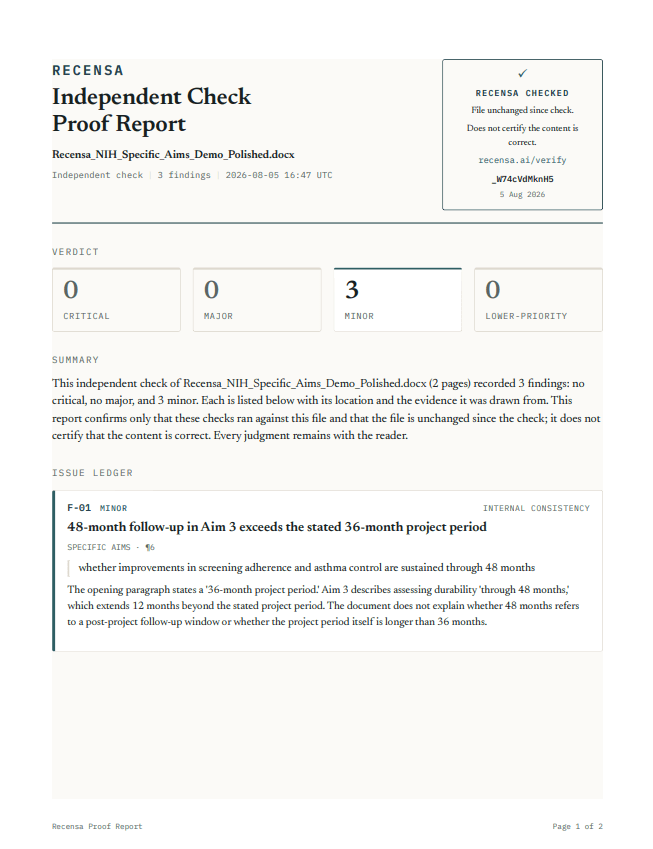
The Recensa Proof Report, showing the issue ledger and a seal confirming the file is unchanged since the check
You keep a record of what was checked and what was found, with a seal confirming the file has not changed since. It does not certify that the content is correct.

Run your own check

Ready to check your own document?

Bring a finished Word or PDF document and see what Recensa finds in yours.